Back to projects
2026PrismProduct design and front-end engineering

Prism. A whole Layer 2, kept simple to use.

A full Layer 2 with far more going on under it than any screen lets on, and the rare quality of staying simple to use. It runs entirely in the browser.

Product designFront-end engineeringDesign systemNext.js
Prism. A whole Layer 2, kept simple to use.

A chain bigger than it looks

Prism is a full Layer 2, and there is far more of it than fits on one screen. The interesting part is the distance between how much runs underneath and how little of it ever reaches the person using it. What follows walks through it, area by area.
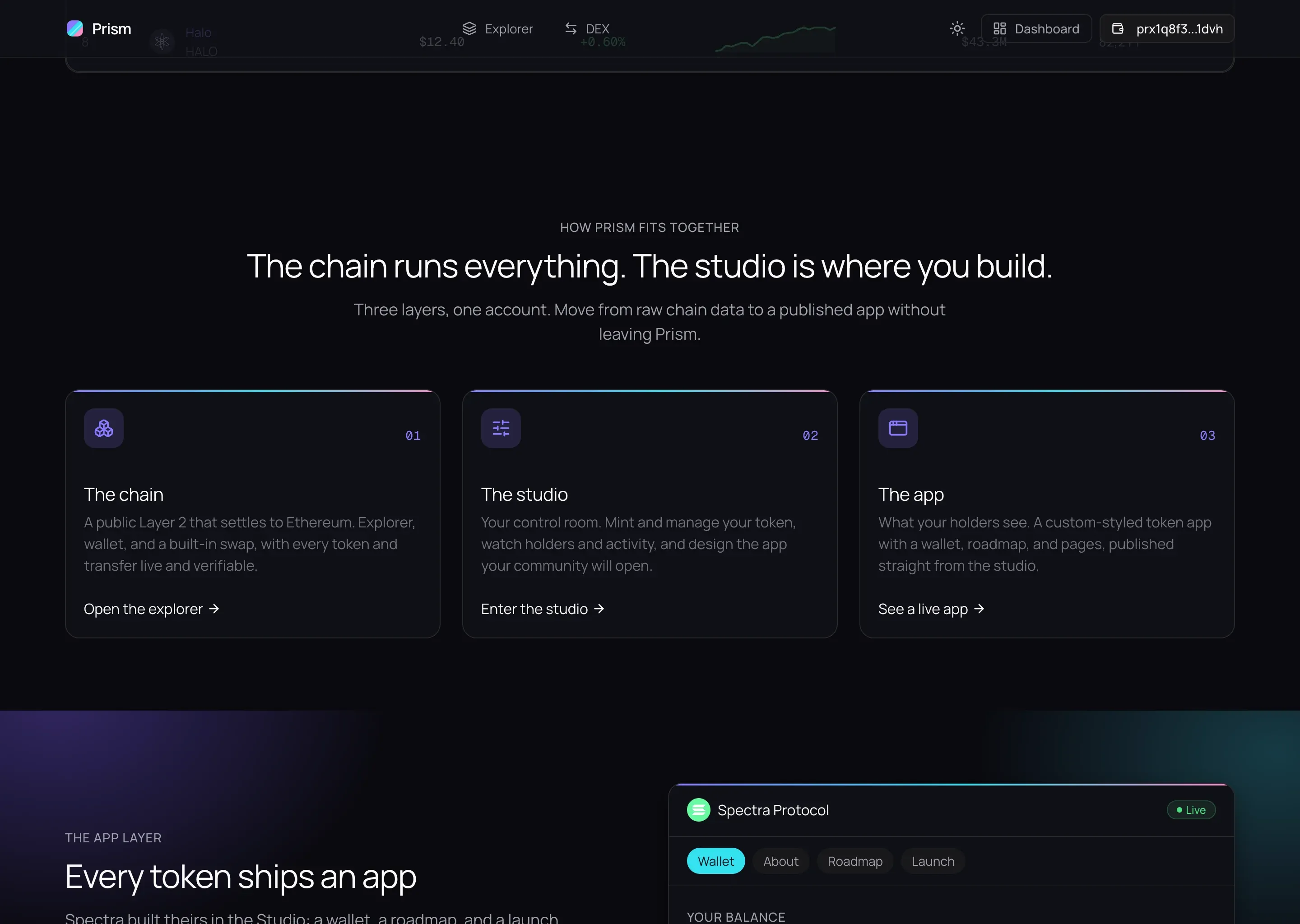
Homepage section titled 'The chain runs everything. The studio is where you build.' Three cards describe the Chain, the Studio, and the App, followed by a framed preview of a published token app.
The whole system at a glance, area by area.

A chain you can actually read

The explorer holds millions of transactions across 64 tokens and 128,000 accounts. One search box finds any of them by hash, token, address, or batch. The design problem here is volume: showing this much data without burying the reader in it.
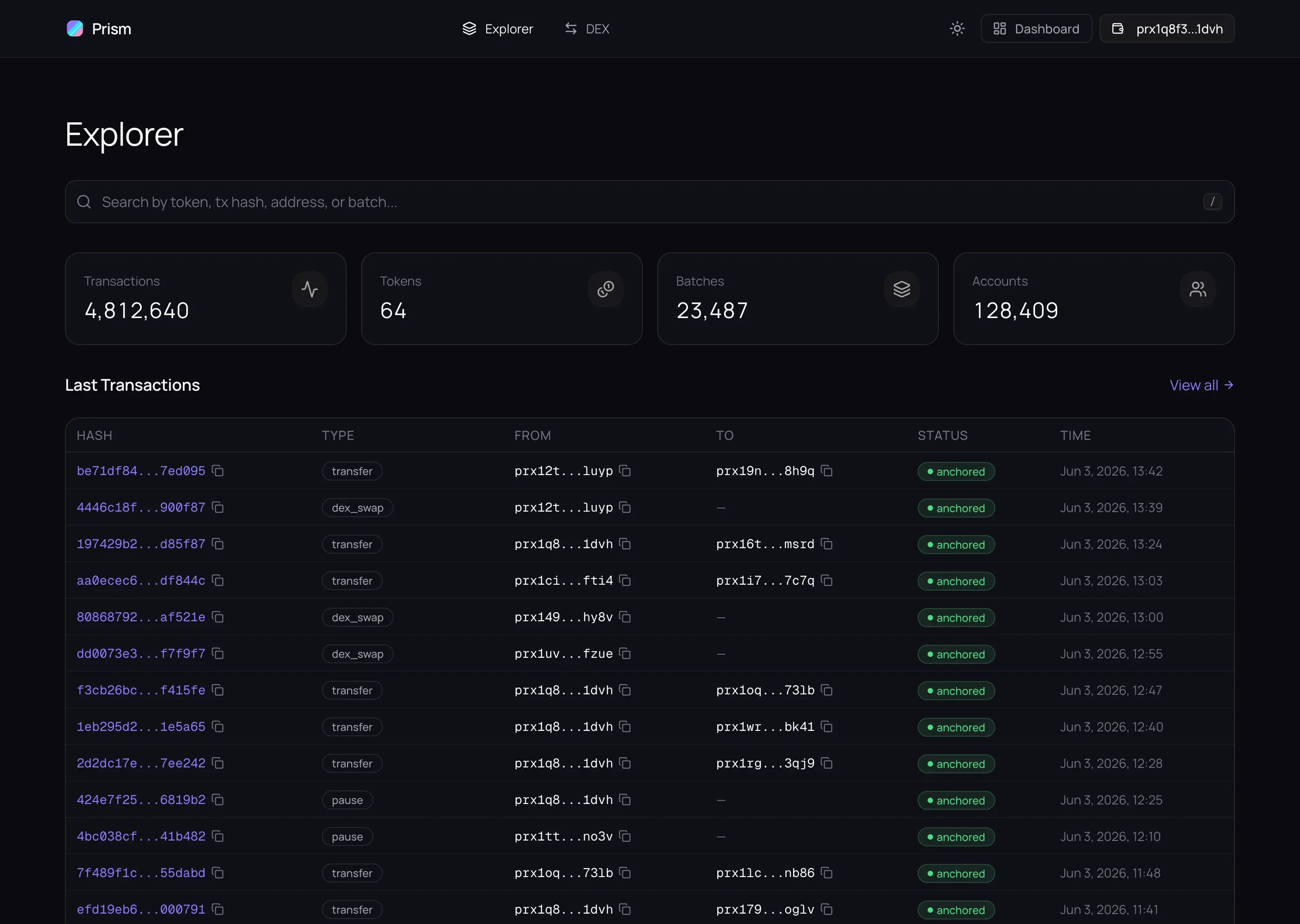
The block explorer. A search bar over four stat cards reading 4,812,640 transactions, 64 tokens, 23,487 batches, and 128,409 accounts, above a 'Last transactions' table with hashes, types, addresses, and anchored status badges.
Search, four live tables, and the numbers that frame them, on one page.
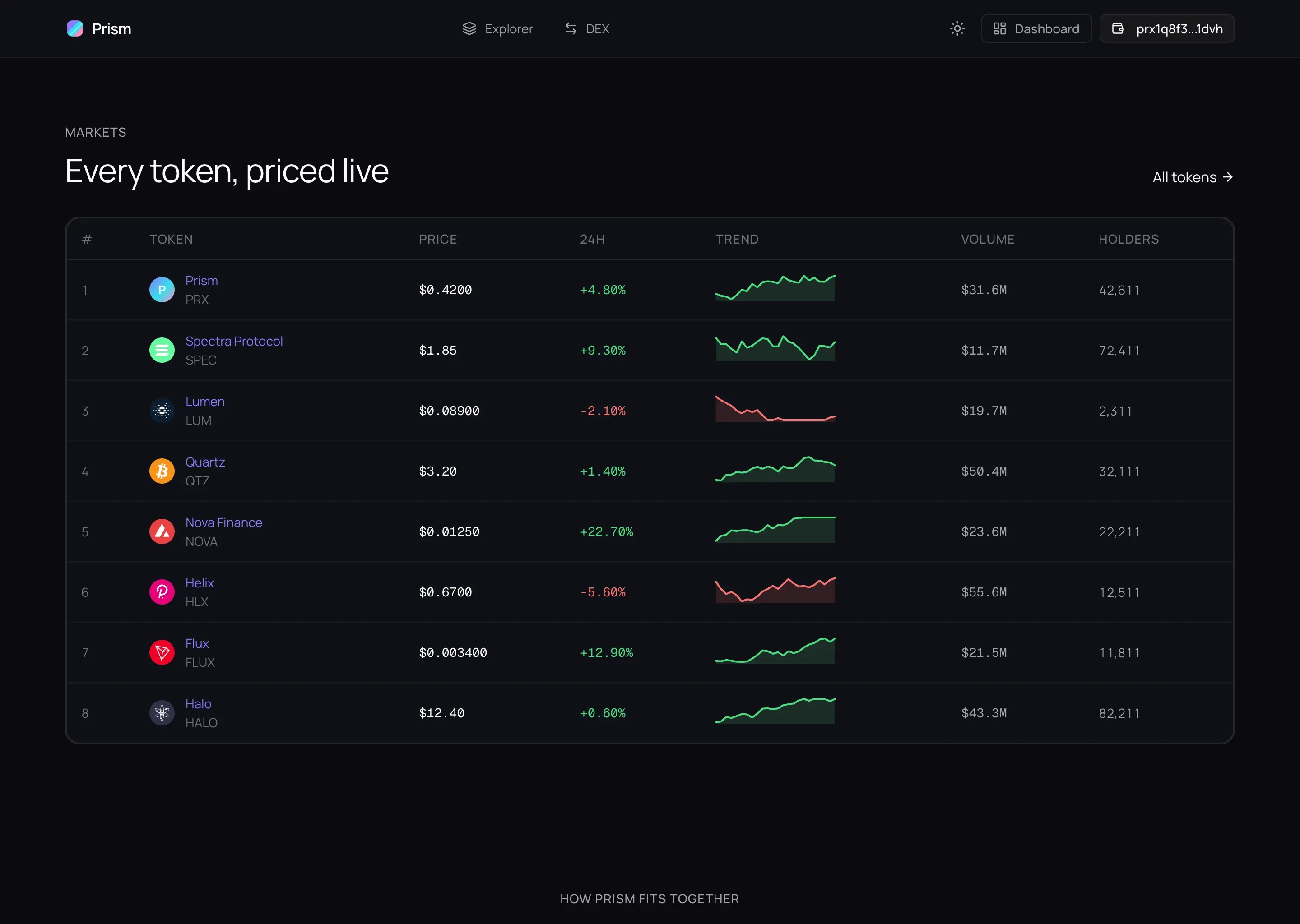
A markets table titled 'Every token, priced live'. Each row shows a token logo, symbol, price, 24-hour change in green or red, and a small trend line drawn as a sparkline.
Every token priced live, each with its own trend line.
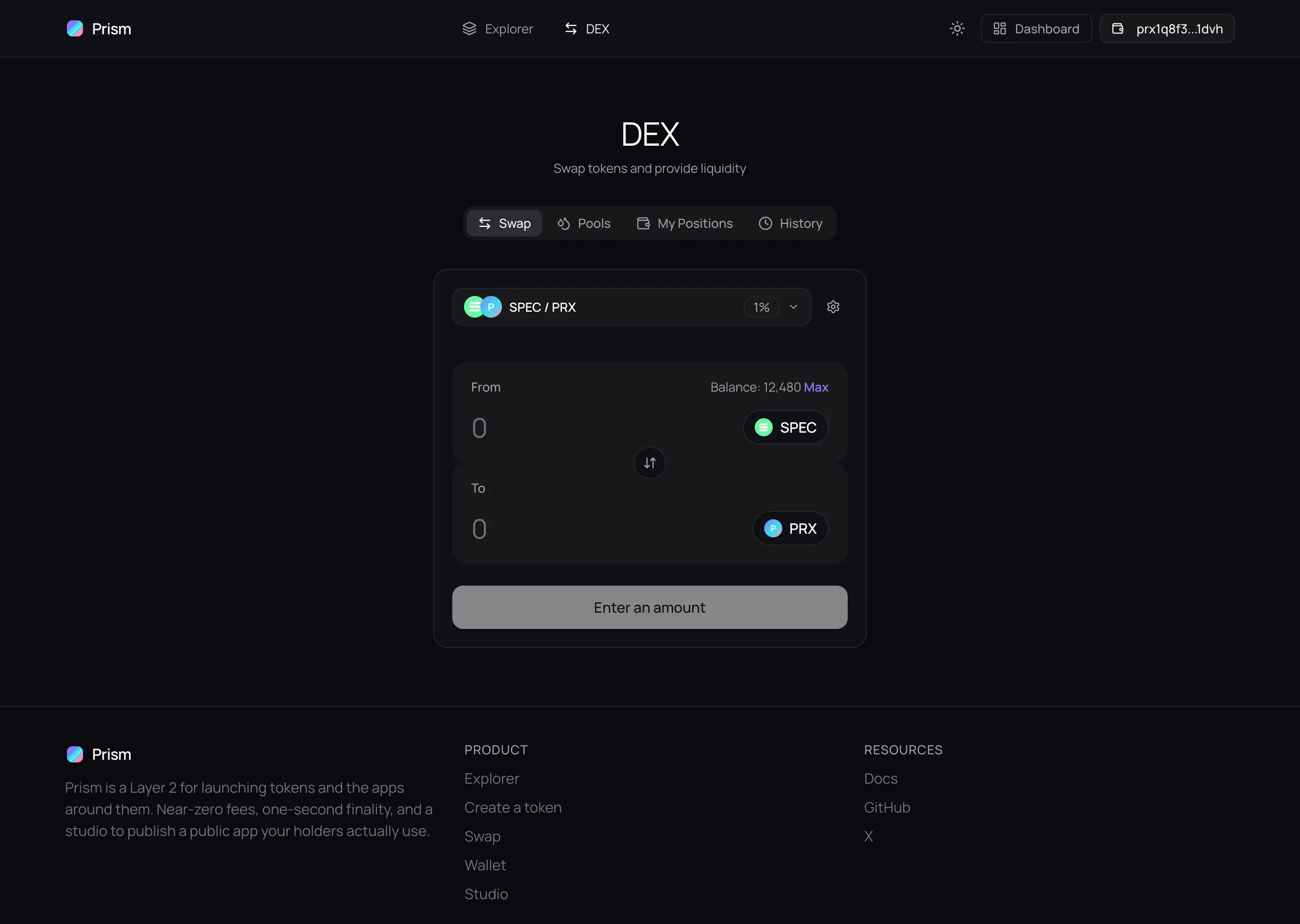
The token swap. A centered panel with a 'You pay' field of 1,000 PRX and a 'You receive' field of 227.03 SPEC, the rate, and a full-width Swap button.
A swap that shows the rate and the price impact before you commit.

The studio: a token becomes an app

This is where the power hides behind small choices. Pick a logo, a color, a font. Write a few pages. Pull a roadmap or a countdown from a store of blocks. What comes out is a working app, published for the people who hold the token, with no code involved.
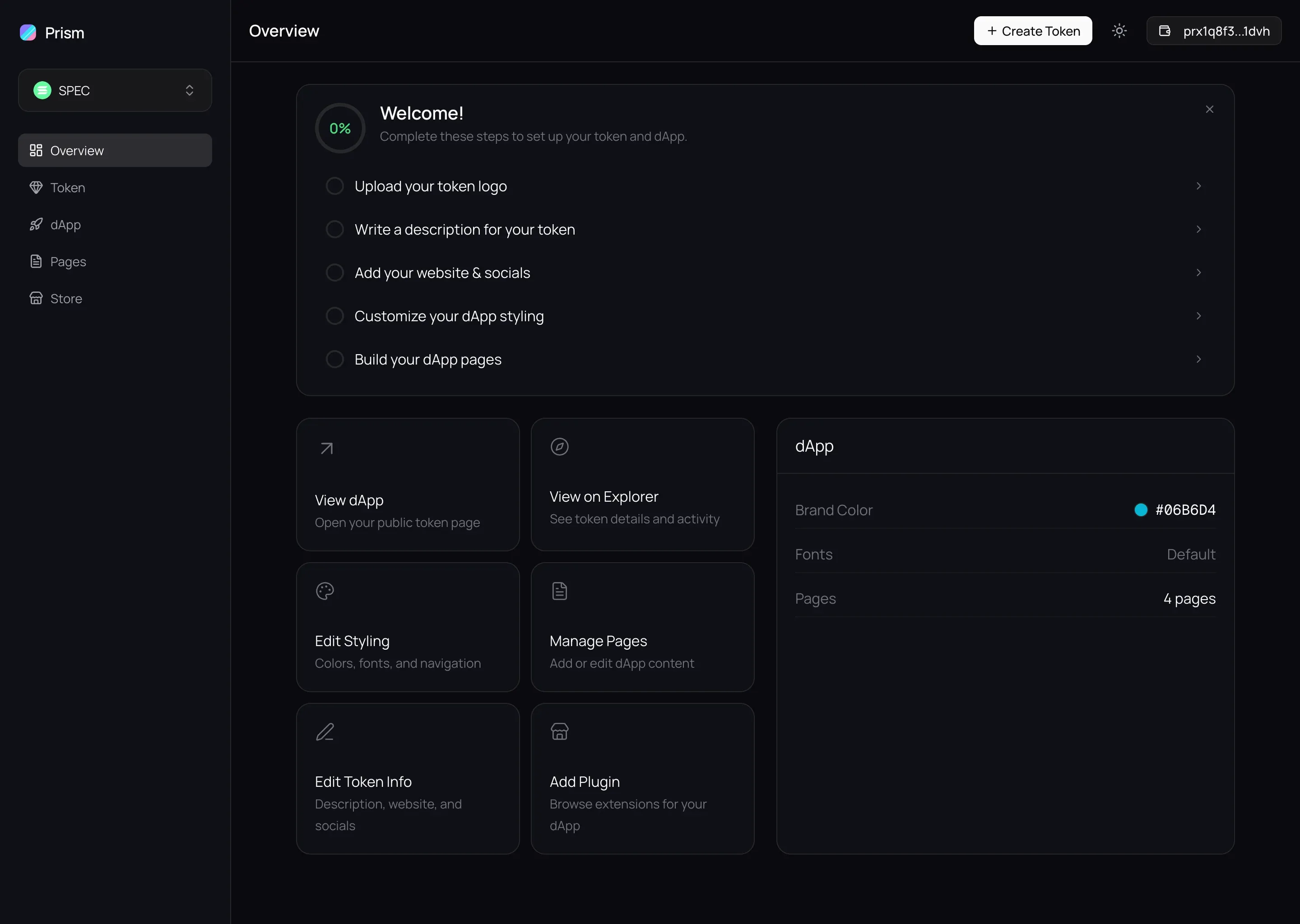
The studio dashboard. A left sidebar lists the token and its sections; the main panel shows a 'Welcome' onboarding checklist of five steps to take a new token to a published app.
A five-step checklist carries a new token all the way to a published app.
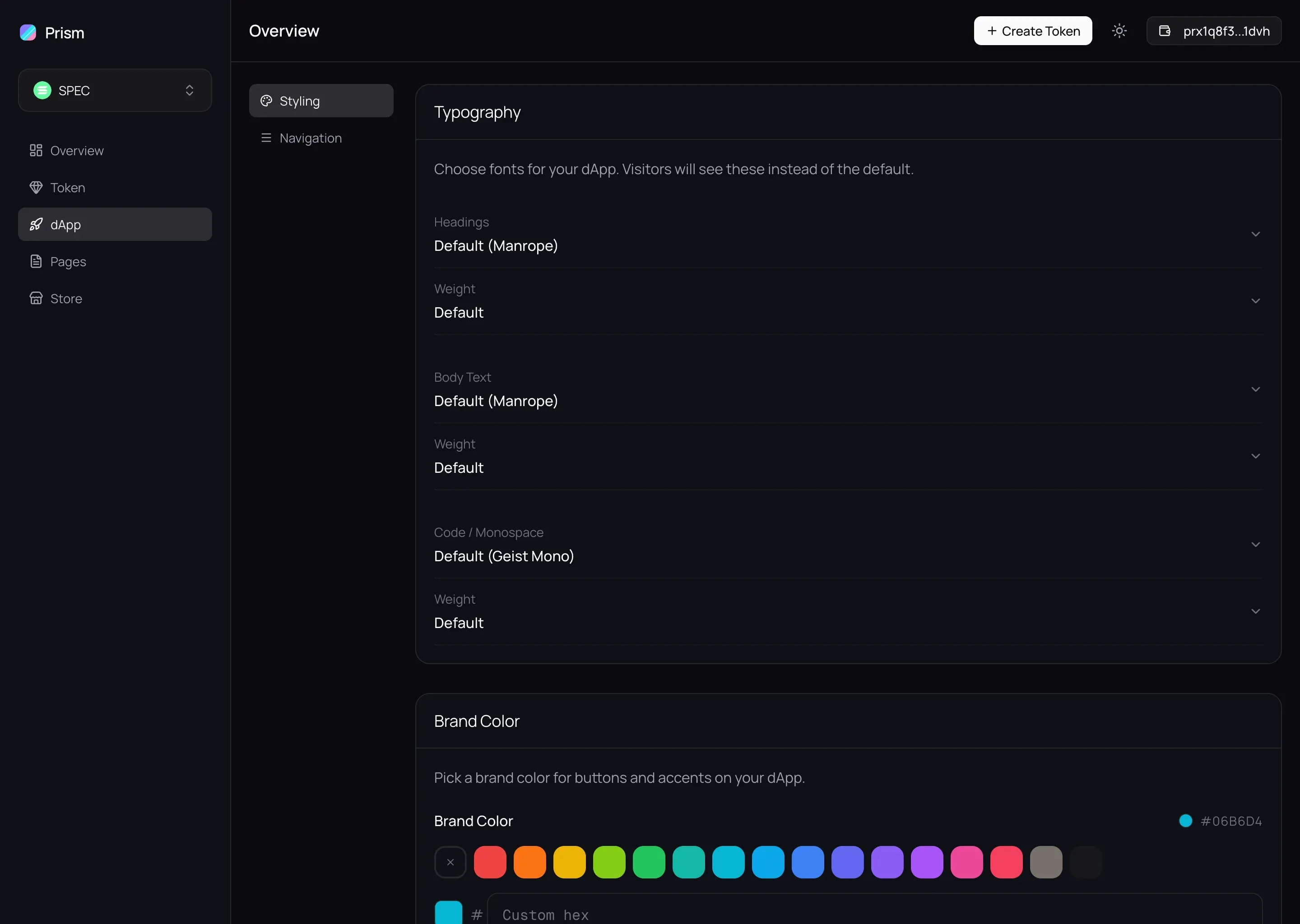
The studio styling panel. Typography controls set the heading, body, and monospace fonts (Manrope and Geist Mono), above a brand-color picker showing a grid of swatches and a custom hex field.
Color, type, and navigation, set without writing a line of CSS.
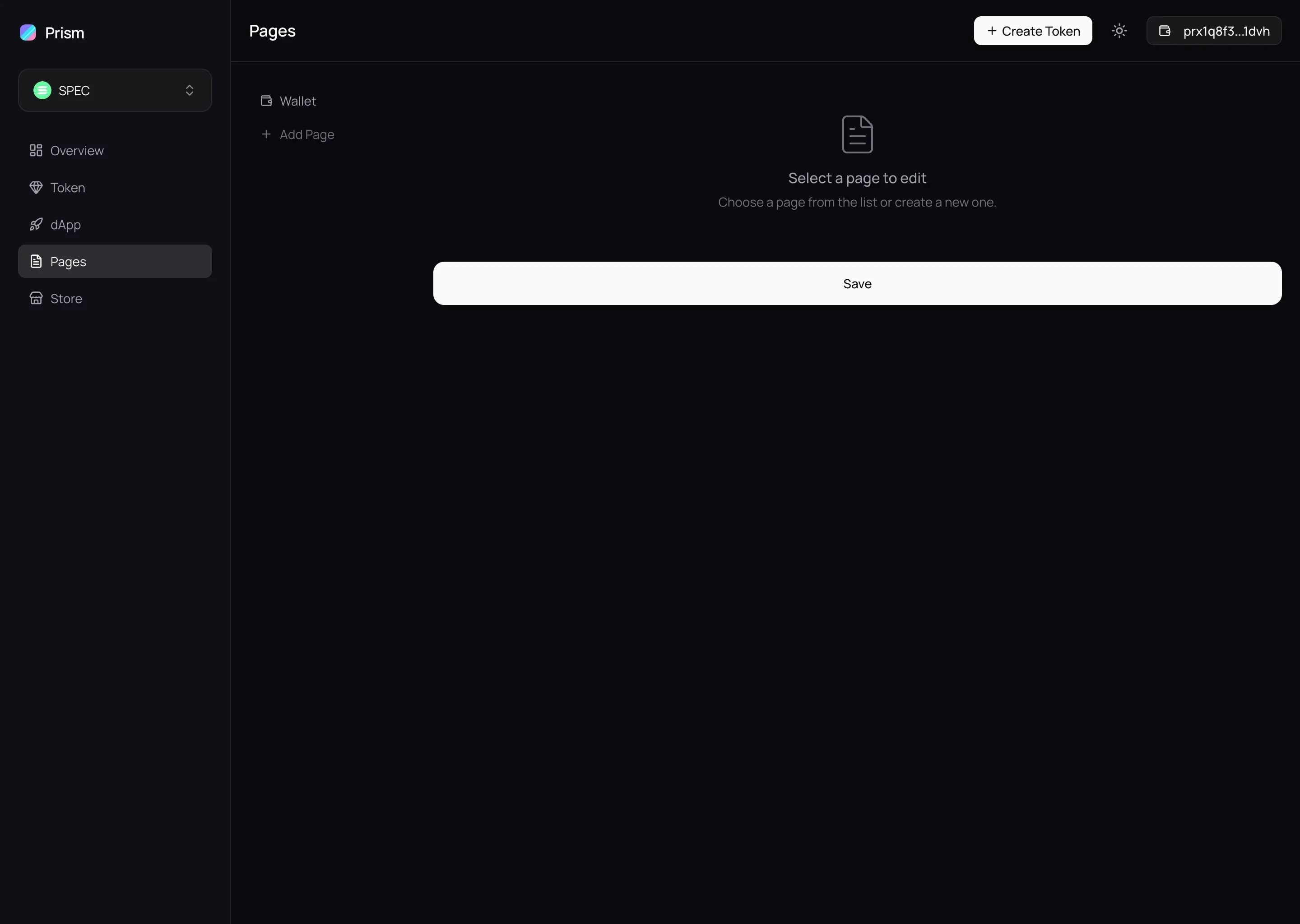
The studio page builder. A list of the app's pages on the left, with an editor area on the right waiting for a page to be selected.
Pages built in a proper editor, not a text box.
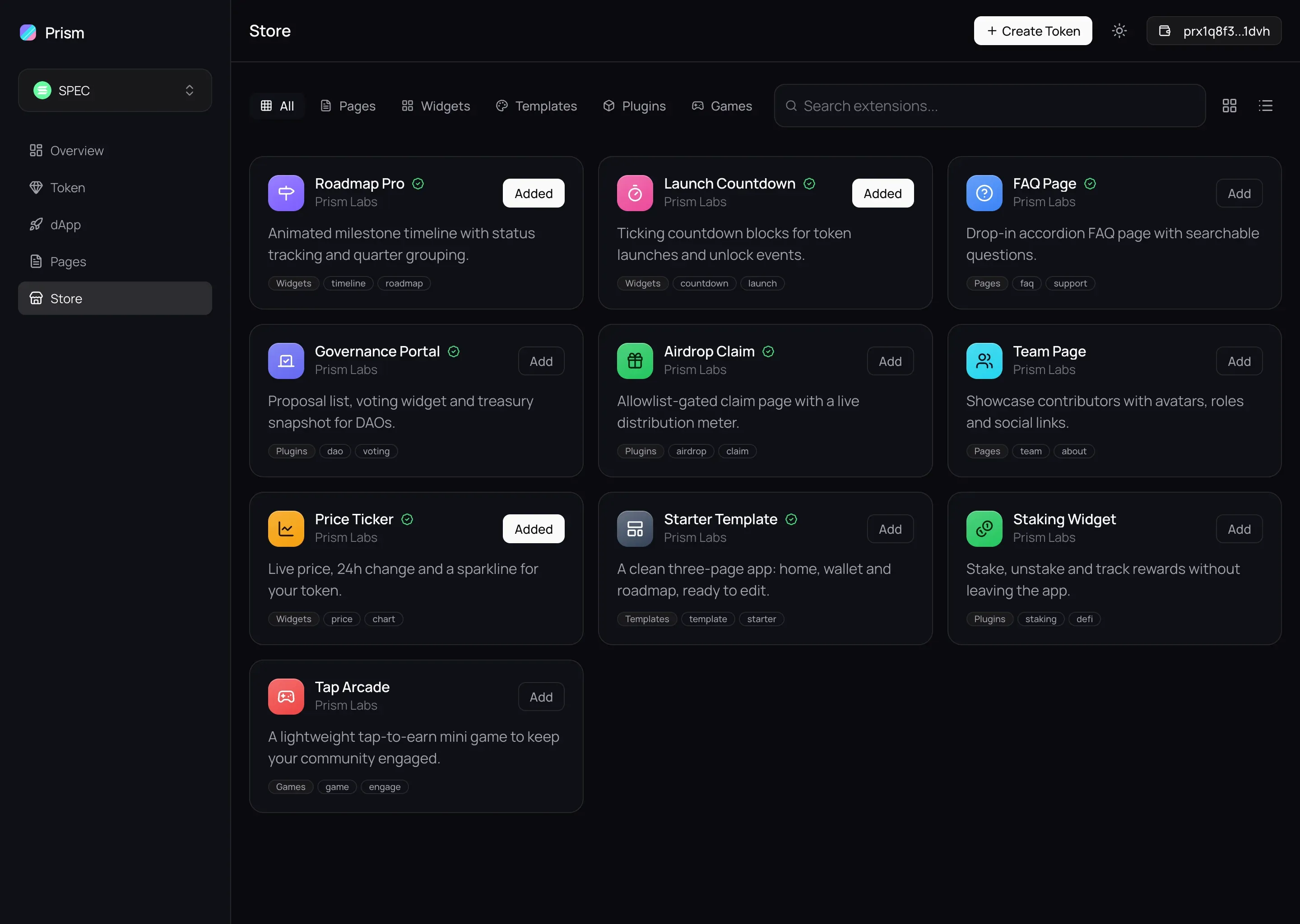
The studio store. Category tabs for pages, widgets, templates, and plugins over a grid of installable blocks such as Roadmap Pro, Launch Countdown, and a Staking Widget, each with an install button.
Roadmaps, countdowns, and widgets, installed in a tap.

The app a holder actually opens

The published app is the payoff. It carries the token's own color and type, a wallet that sends and receives, and whatever pages its creator built. The studio choices, now a product in someone's hands.
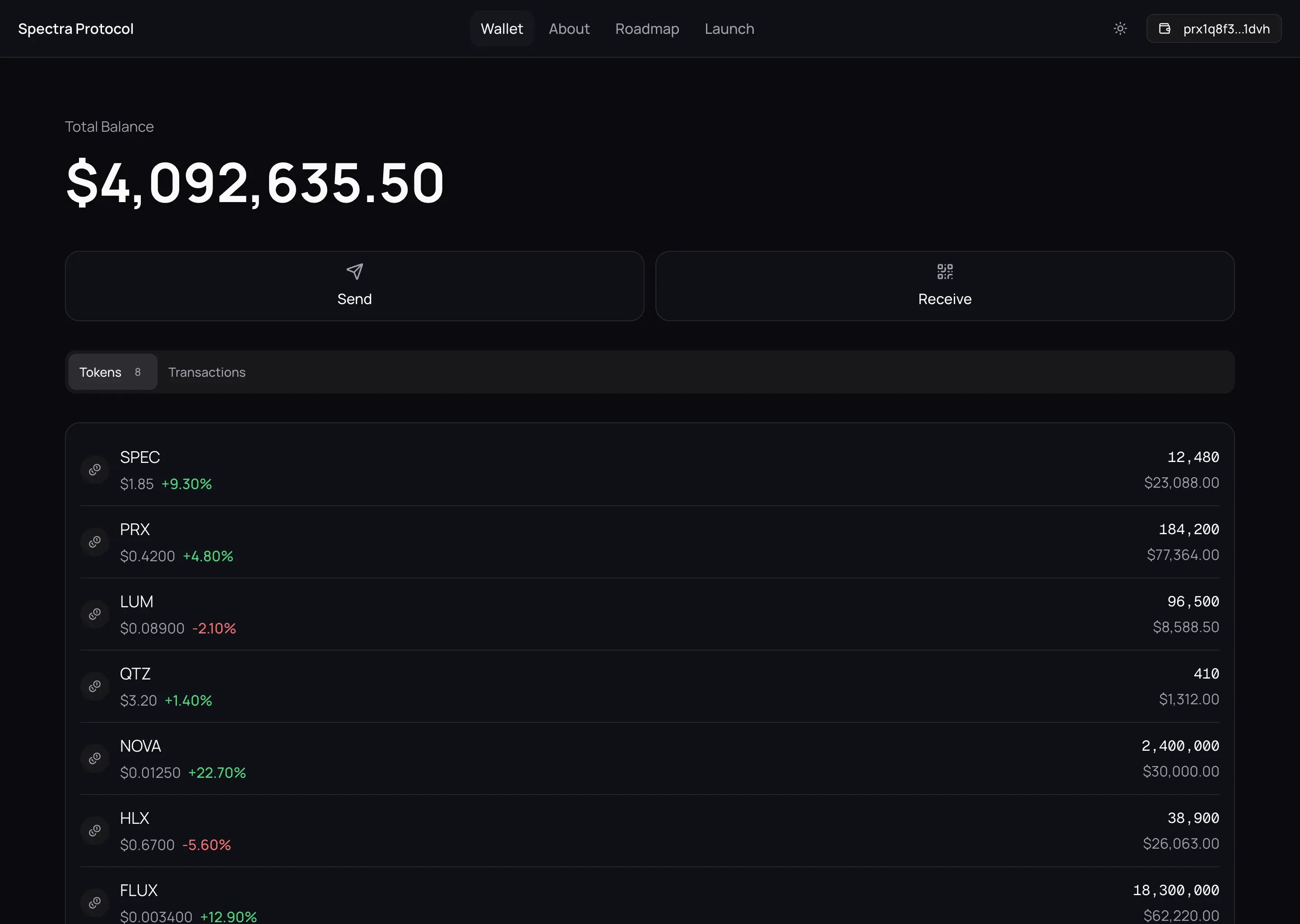
A published token app on its Assets tab. A balance of $4,092,635.50 sits above a list of token holdings with amounts and values, and a bottom row of app pages.
The published app: a branded wallet, balances, send and receive.

Light or dark, desktop or phone

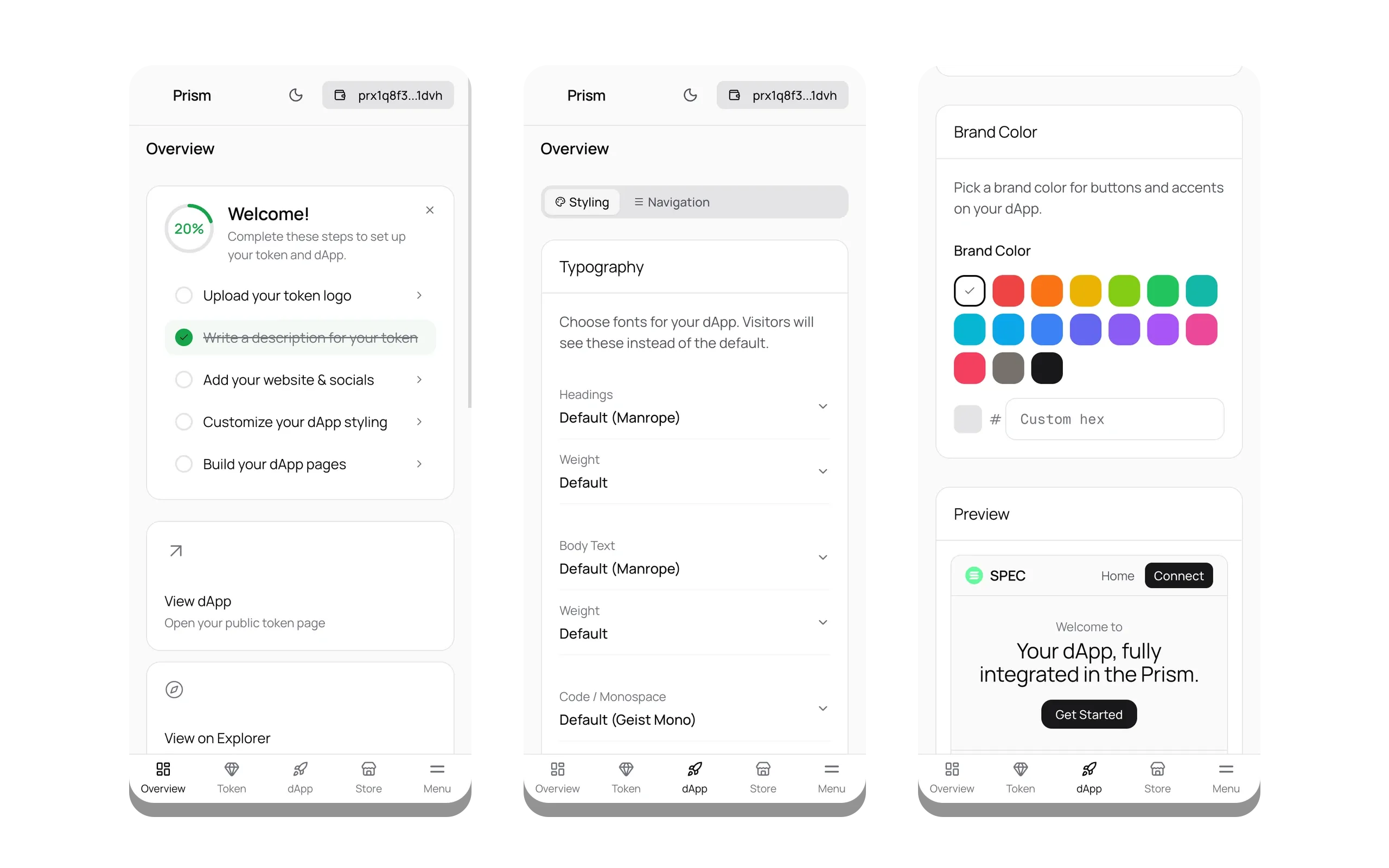
The system holds its shape across themes and screen sizes. The dashboard, the editors, the published app, all fold down to a phone and flip to light mode without losing their footing. Nothing here is a separate mobile build.
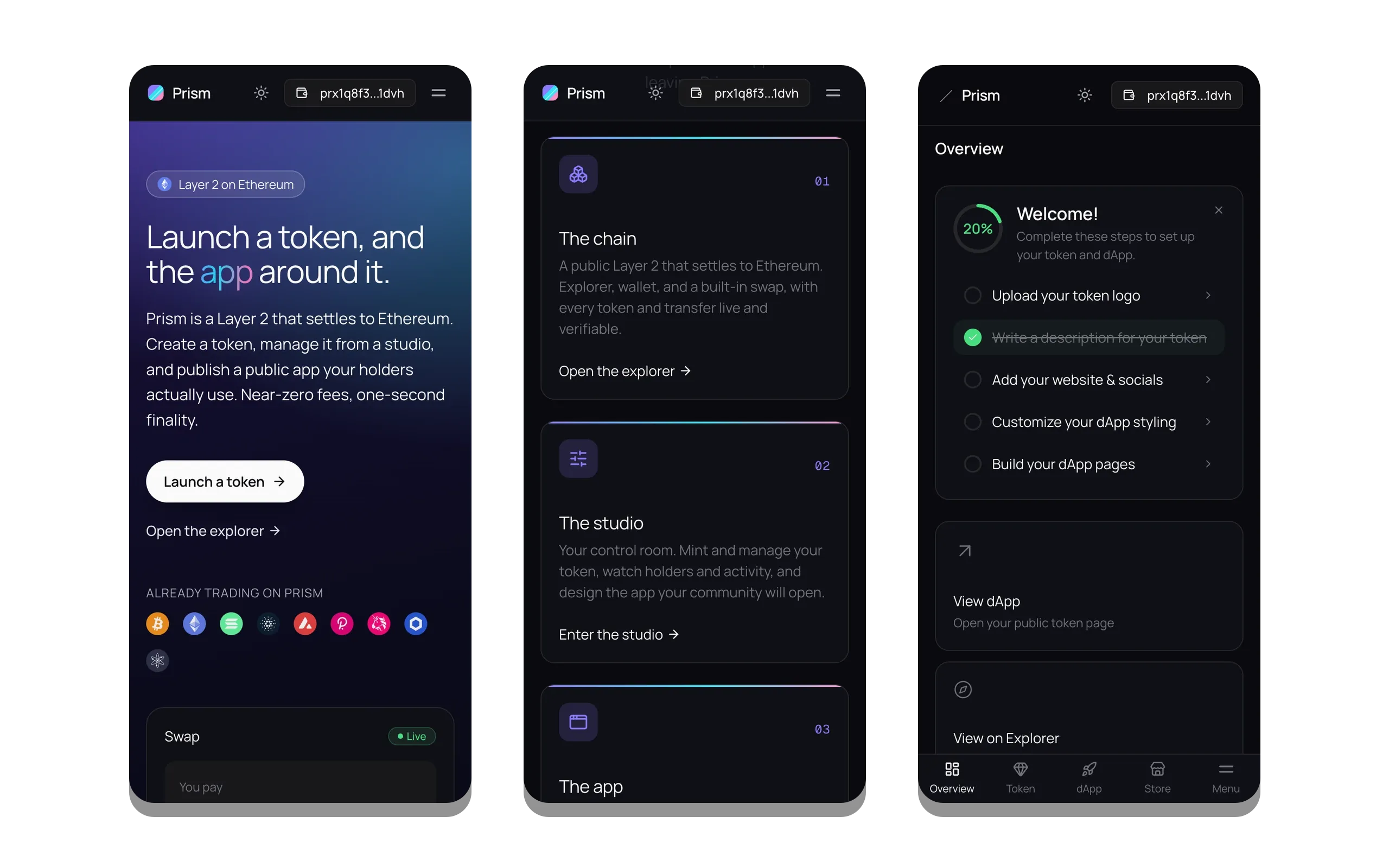
Three phone screens in dark mode: the homepage hero, the chain-studio-app overview, and the studio onboarding checklist.
The landing and the dashboard, folded onto a phone.
Three phone screens in light mode: the studio onboarding, the typography controls, and the brand-color picker with a live app preview.
The same studio, in light mode.

Built to feel real, with nothing behind it

Everything in Prism runs in the browser alone. The tokens, transactions, holders, and prices come from a fixed seed, so the data stays rich and consistent and never shifts between loads. The charts are drawn by hand in SVG, with no charting library. Data moves through a query layer that caches and refetches the way a live app would. It reads like a real product, with no server to go down.

Built with

  • Next.js16
  • React19
  • TypeScript
  • TanStack Query

Powerful underneath, simple on top.

The person using Prism never feels the weight of what runs under it.