Tools · 3 min · 11 August 2026
Cursor's Design Mode lets me point at the UI instead of writing a paragraph about it
Cursor's June update lets you click, draw, or talk at a running app and the agent edits the code underneath. For front-end work, pointing beats describing.
I spent years describing UI changes in sentences. "Make the secondary button a bit smaller, the one to the right of the link, and give it more room above it." Cursor's Design Mode, updated on June 5, lets me drop the sentence and point at the thing instead.
What it actually does
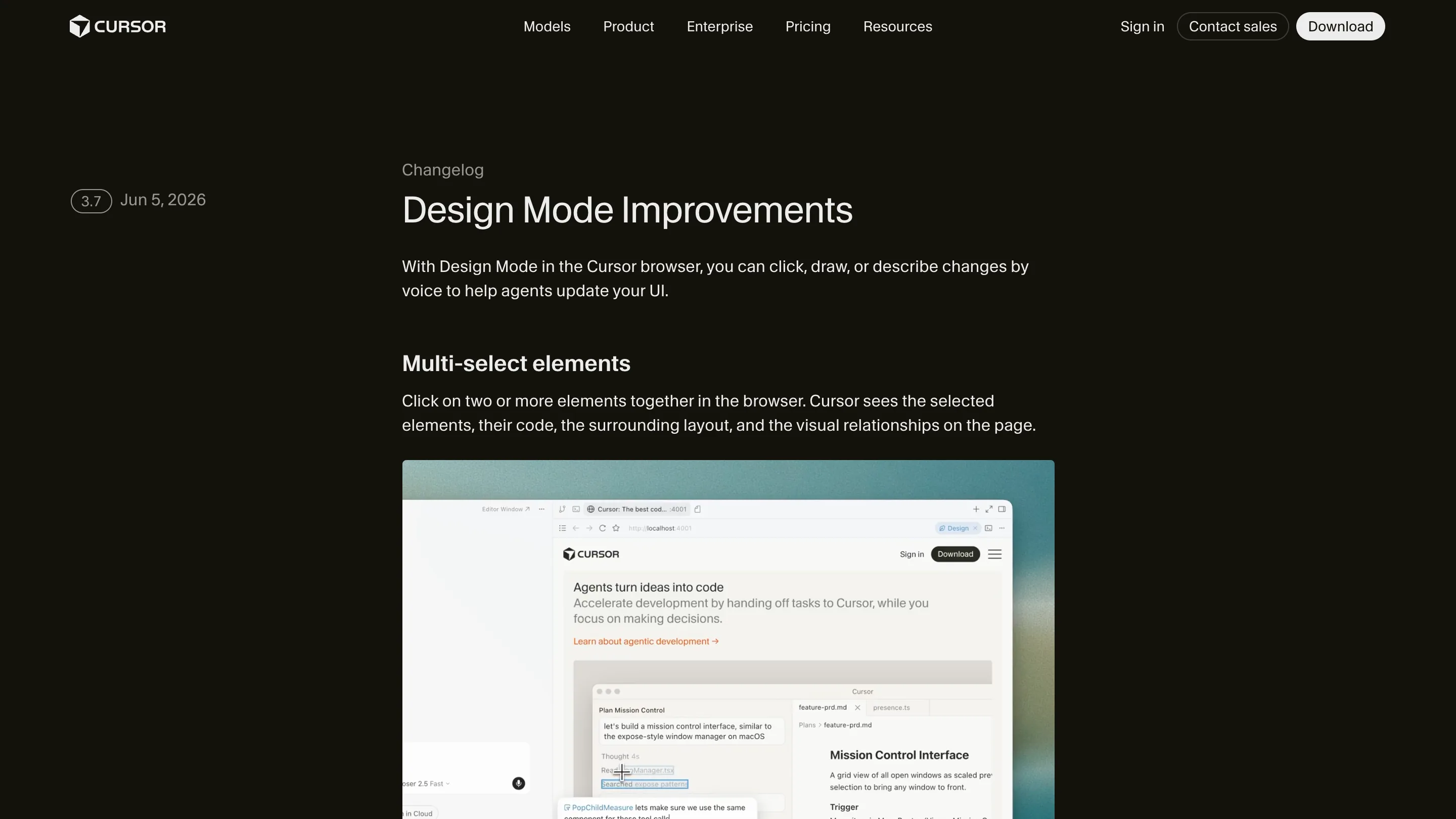
Design Mode lives in the Cursor browser, inside the Agents Window. You open a running app, press Cmd+Shift+D, and the page turns clickable in a new way. Click an element and describe the change. Shift+drag to box a region over a frozen frame. Or hold the mic and say it out loud while an agent is already working. The agent edits the code underneath. Erik Nilsson, Ian Huang and Ryo Lu, who wrote the launch post for Cursor, call it shrinking the distance between what you see and what the agent understands. That's the honest version.
What the agent gets when I click
Here's the part I care about, said plainly. When I select an element, Cursor doesn't only send my words. It sends the element's xpath, the component, its attributes, the computed styles, and the props pulled from React's fiber tree, plus a screenshot of the layout around it. So the instruction stops being a lone sentence in a chat box. It arrives carrying the selected element, the code behind it, and the visual relationships on the page. The agent already knows where to look.
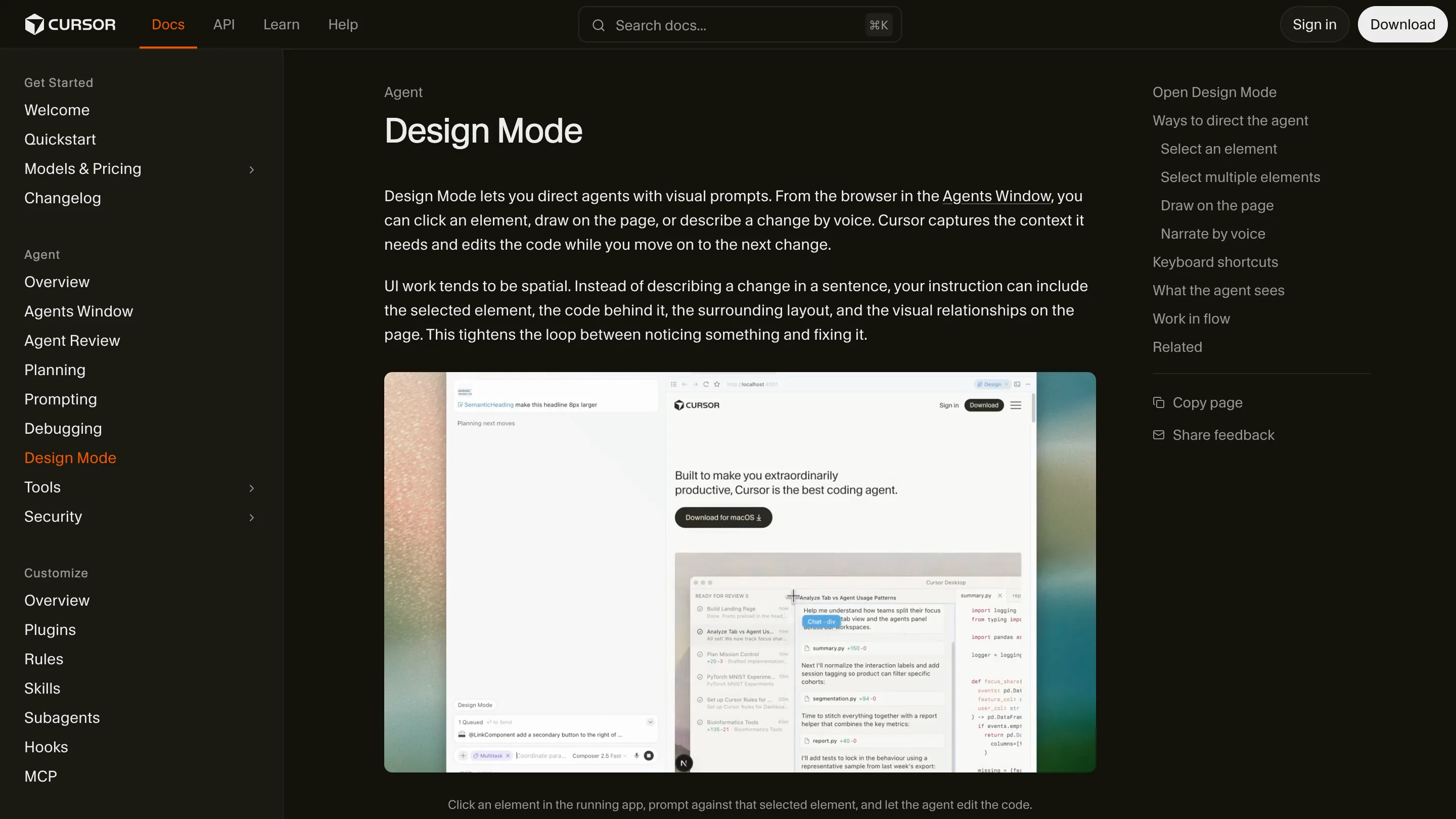
The docs page shows the loop well. A comment reads "make this headline 8px larger", queued against the element itself, while the agent works through code on the right. The change is anchored to a real component, not to my description of one.
The 3.7 changes
The June update added two things I'd wanted. Multi-select: click two or more elements together and Cursor sees all of them at once, their code and the spacing between them, so I can say "make this one match that one" and it knows which is which. And a persistent mic, so I can queue the next change by voice while the last one is still running. Small on paper. In practice it keeps me from stopping to type between edits.
Am I switching
So am I moving my design edits here? For the front-end work in this portfolio, yes, I'm testing it for real. Pointing at a padding I don't like beats writing a paragraph that names it. Where it falls short: it wants a running app and the Cursor browser, so it's for editing a live product, not for exploring a layout from an empty file. It reads the DOM, so a change that's really a design-token decision still belongs upstream in the system, not in a one-off nudge on the page. And Cursor recommends a fast model strong at interface work, Composer 2.5; on a slower model the loop loses the speed that makes it worth using.
I'm keeping Figma for composition. For the last mile, tightening real components in a real browser, Design Mode is the one I'll open this afternoon.