Tools · 3 min · 21 July 2026
Linear's Loops put recurring work on a page the whole team can read
Linear shipped Loops on July 20: recurring agent jobs you describe in plain language. The interesting decision is that the instructions live in the workspace, visible to everyone, instead of in someone's private cron.
Linear shipped Loops on July 20. The agent is the headline. The thing I keep coming back to is where a Loop lives: a page inside the workspace that anyone on the team can open, read, and disagree with.
A Loop is a recurring job you describe in plain language. You pick whether it runs on a schedule or fires on an event, and then Linear lets its agent use workspace context and connected tools to decide the next move. The examples they lead with: read incoming issues and dig for a root cause, hand the work to a coding agent, turn a meeting transcript into follow-up issues, keep a launch plan current.
The instructions read like a document
Loops sit at team and workspace level with shared visibility. Anyone with access can review the instructions, see the configuration, and inspect what each run did. That one sentence is the whole design decision.
Every scheduled job I run today is invisible to everyone but me. There's a launchd folder in this repo firing scripts at fixed times, and if I got hit by a bus nobody would know why an article appeared on a Tuesday. Loops turn that into something a teammate can read at 9am, say "this rule is wrong," and edit. Automation stops being folklore.

You can see the same thinking on the agents page. "Artificial colleagues. Natural collaboration." set in enormous white grotesk on near-black, two lines, leading pulled tight enough that the descenders almost touch. Under it, a row of chat cards bleeding off the bottom edge, each holding a real prompt: "Review today's mobile triage and group the issues by what should happen next." No robot iconography anywhere. They're selling a colleague, and the page behaves like one.
The launch video is doing quiet work too
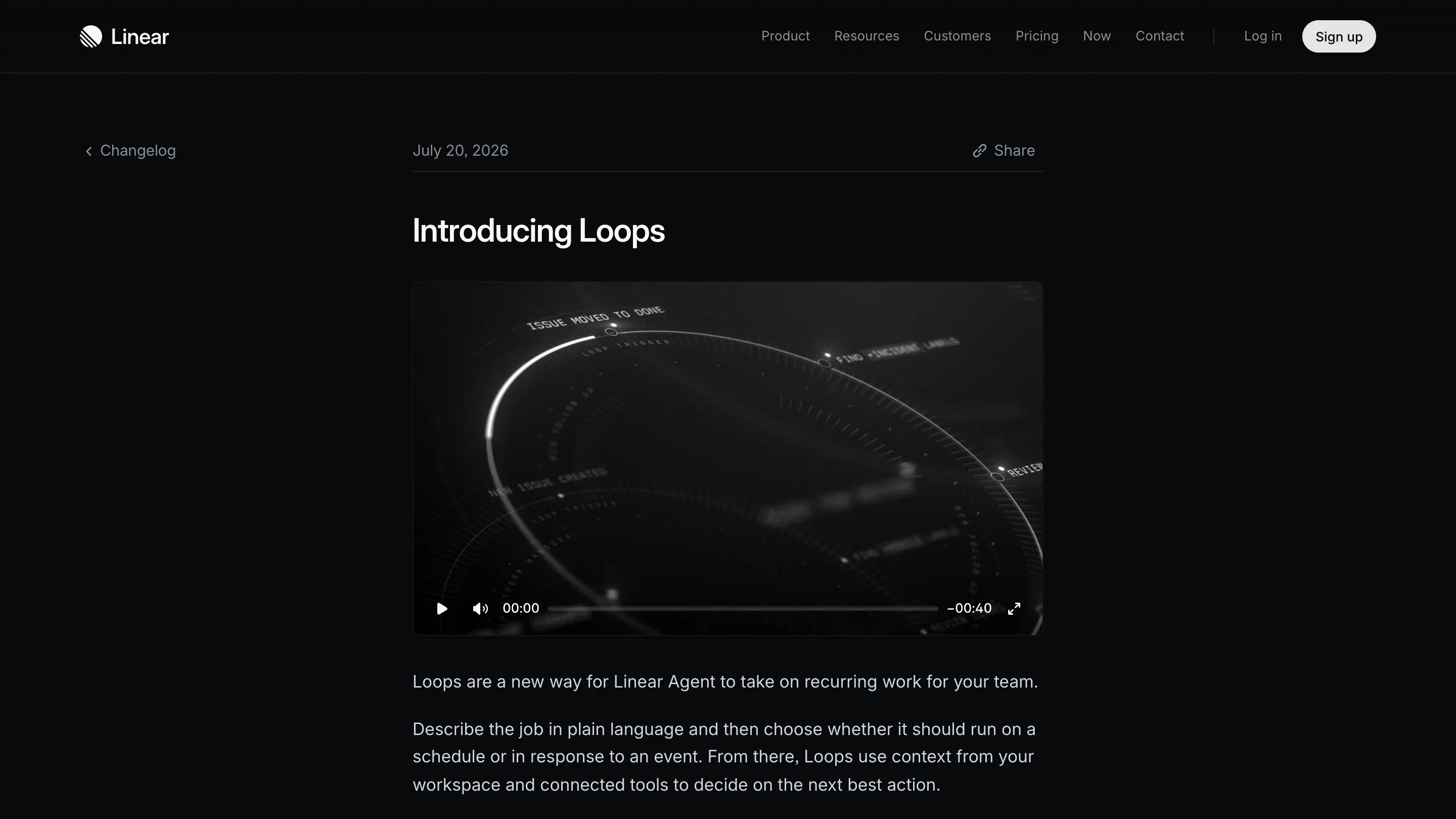
The changelog entry opens on a 40-second loop of a dark rotating dial, engraved labels riding the rim: ISSUE MOVED TO DONE, NEW ISSUE CREATED, FIND +INCIDENT LABELS, LOOP TRIGGER. It's an orrery for events. Grey on black, one white highlight tracing the ring, no color. I rate it because it explains the trigger model faster than the paragraph underneath it does, and it never once shows a UI screenshot.
Where it stops
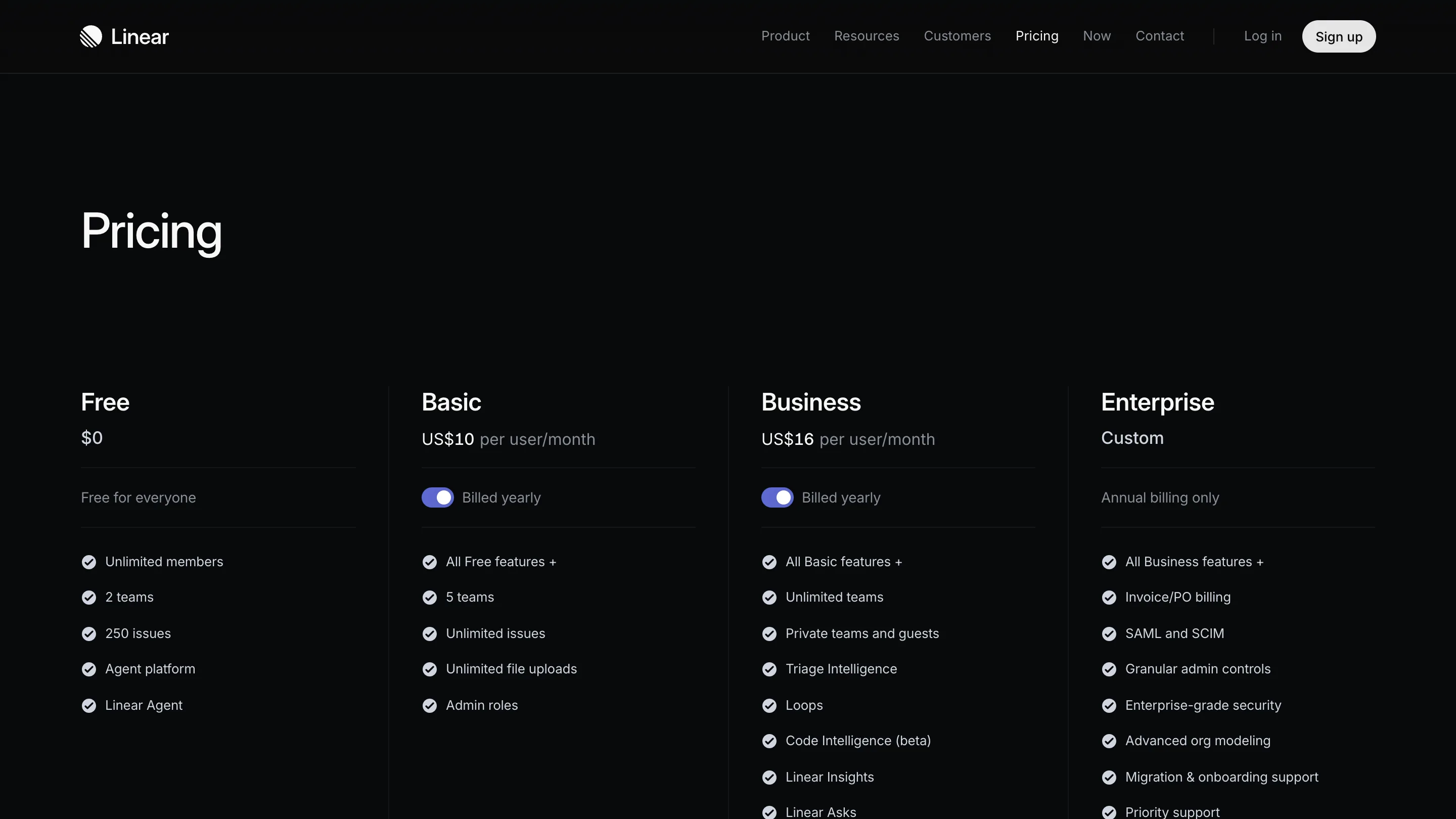
Loops are gated to Business and Enterprise. Business is US$16 per user per month, and Loops sit in that column on the pricing page. The Free tier lists Linear Agent and the agent platform, so you can meet the agent, you just can't schedule it.
Runs burn AI credits. Every workspace gets $20 per seat in promotional credits that expire on August 20, so there's a month to find out what a Loop costs in practice. What the page doesn't tell me is the price of one run, and that's the number I need before I let something fire on every new issue. A rule that reads root causes across a busy triage queue is not the same spend as a weekly digest, and right now I'd be finding that out with my own money.
The call
I'm testing it this week on one job: the follow-up issues that come out of meeting notes, which I currently do by hand on Friday and do badly. That's a good first Loop because the failure mode is cheap. If it invents a task, I delete it.
What I'd steal, whatever tool you're in: write the automation where the team can read it. Most of what makes a workflow fragile is that its rules live in one person's head, or in a file only one person opens. Linear made the rules a shared artifact and let the agent be the boring part. That's the move.