Tools · 3 min · 22 July 2026
Webflow started counting fonts the way it counts components
Webflow shipped a small change on 7 July: fonts now travel with a shared Library. The part worth stealing is the panel, where fonts sit next to components and variables as a resource you can count.
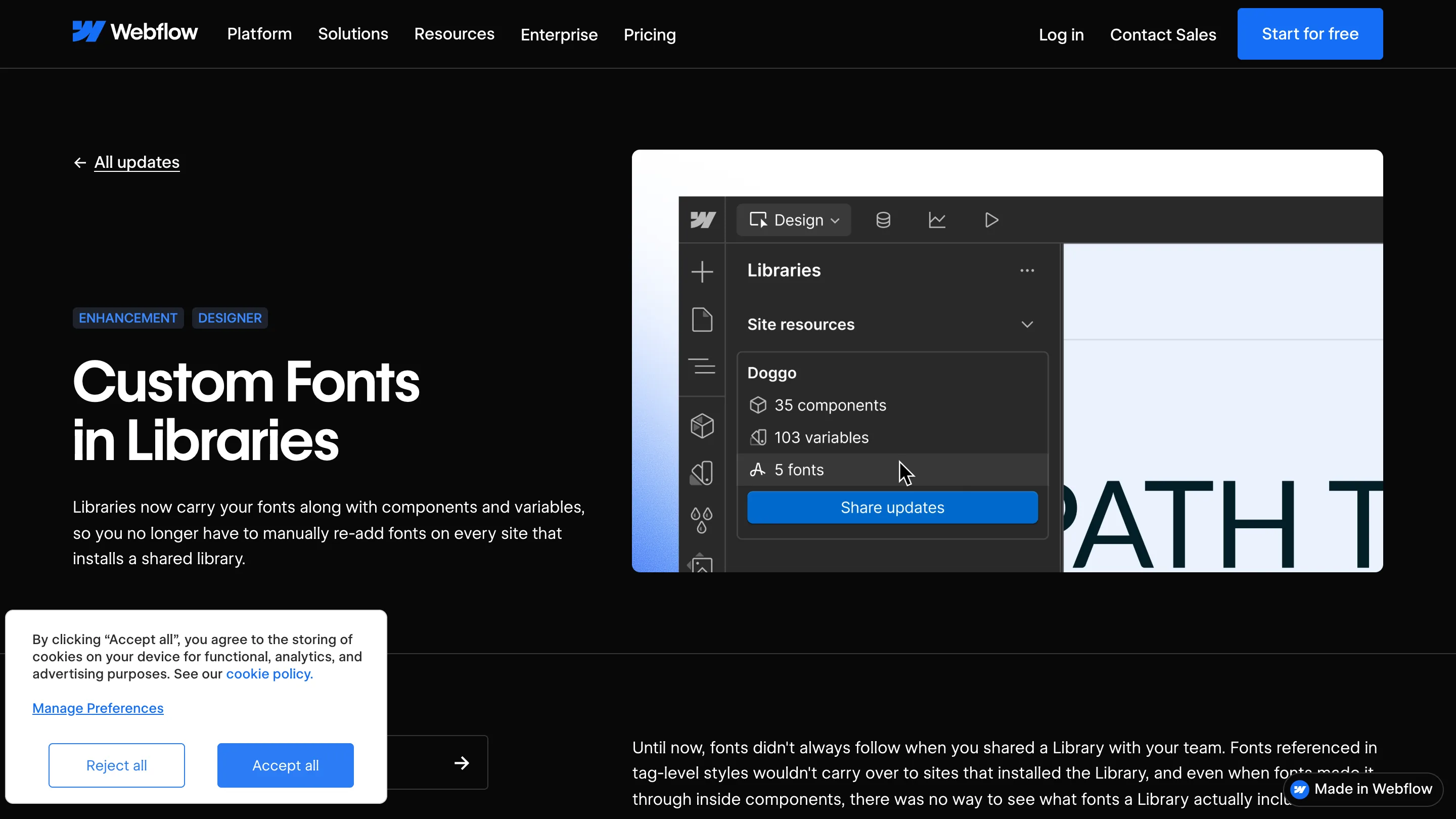
The thing I keep going back to in Webflow's 7 July release is one row in a panel. A Library named Doggo, and underneath it: 35 components, 103 variables, 5 fonts. Same indent, same icon treatment, same weight. Typography got promoted from an asset you remember to re-upload into a resource the system counts.
What actually changed
Before this, fonts referenced in tag-level styles didn't follow a Library to the sites that installed it. Fonts buried inside a component sometimes made it through, and there was no screen anywhere that told you which ones a Library carried. Now Google Fonts, custom uploads and Adobe Fonts come along. Install the Library on a second site and the fonts appear in the Typography panel grouped under the Library's name, sitting beside that site's own. You can even share a Library with five fonts and nothing else in it.
That last detail is the one that tells you how they're thinking about it. A fonts-only Library is a typography package. It has a name, a version, an install target and a review step, like any other dependency.
The diff is the good part
Buried in the release note: when fonts change on the source site, the Share Updates review shows which ones were added, removed or changed. I rate that more than the sharing itself.
Most design system updates land as a badge with no contents. I do this to myself. I bump my package, the consuming project gets a version number, and then I go read a changelog in another window to work out what moved. Webflow put the contents inside the accept screen, so the person clicking is the person who can see what they're accepting. Typography is exactly where you want that, because a font swap is invisible in a components diff and extremely visible on a live page.
It shipped quietly, and that reads correct
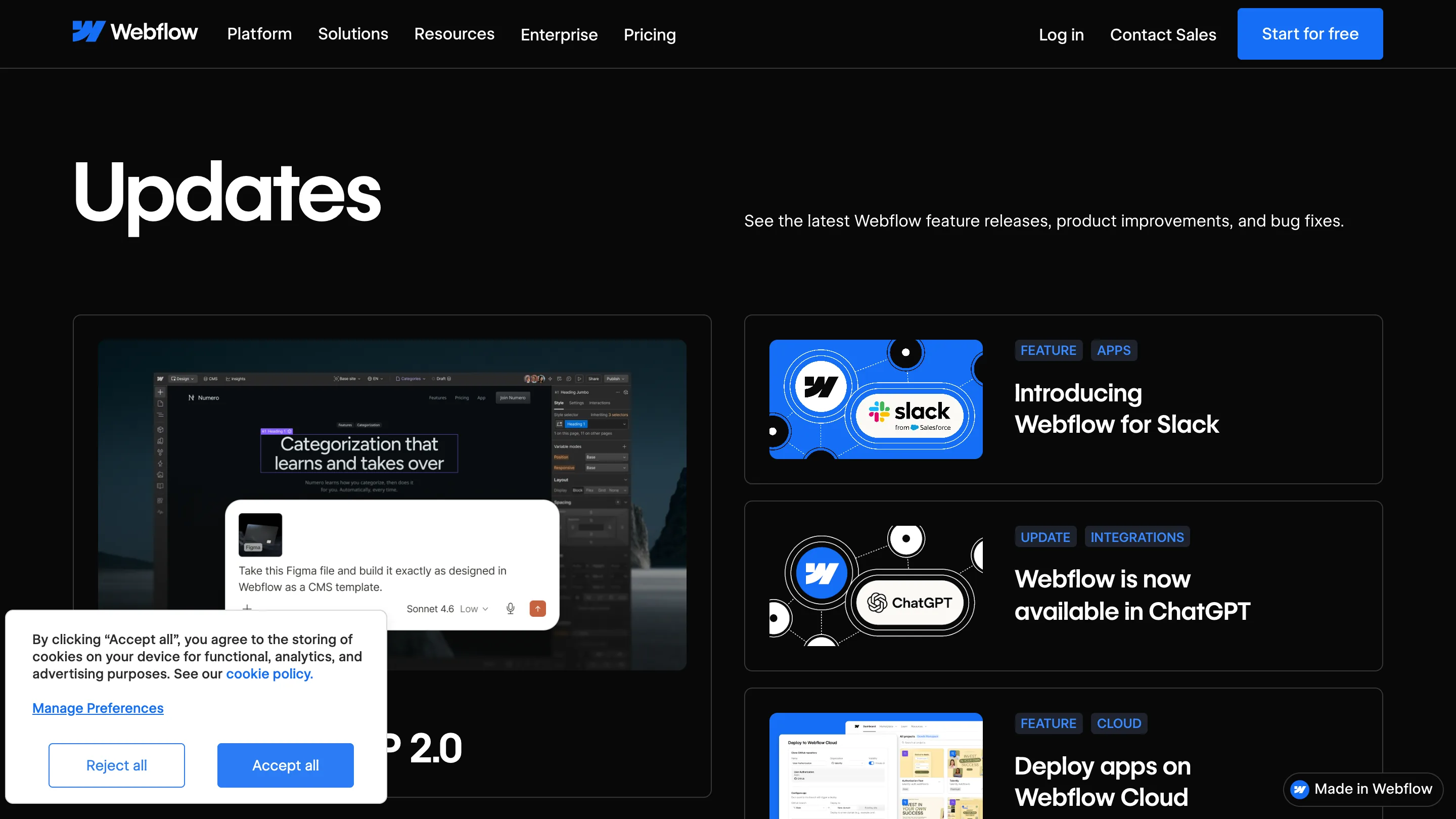
Look at the Updates index and this one is nowhere. The big cards go to the Slack app, Webflow inside ChatGPT, MCP 2.0. The font change is tagged Enhancement, Designer, in small blue caps. Fine by me. Plumbing that removes a manual step for every design lead running more than one site doesn't need a launch video.
I'm not switching, I'm copying the idea
My sites are Next.js and my system ships as an npm package, so none of this reaches me directly. The hole it patches does. My package ships tokens and component CSS while the font files load from the app, which means a project can install the system, get every token right and still render in the wrong typeface. Nothing in my manifest would tell me. Webflow's answer is to treat the font as part of the system, and I think that's the right home for it. So the fonts go into my manifest this week, with a count, next to the override count.
Where it stops
Libraries for Workspaces are Growth, Agency and Enterprise. Adobe Fonts licensing still lives with the account rather than the Library, so a shared font can travel to a site that has no right to serve it. And it solves distribution, leaving the harder question open: which of those five fonts a given component is allowed to call. That stays a convention you enforce in review.
Still, five fonts listed as five fonts. Small row, right idea.